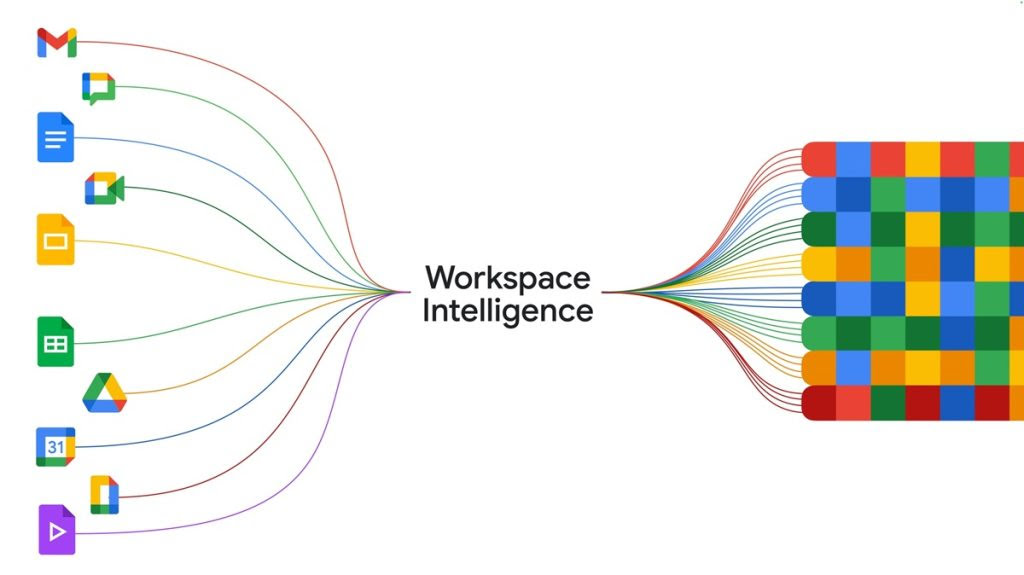
Google has rolled out a wave of AI upgrades to Workspace that push Gemini deeper into the daily grind of office work. The centerpiece is Workspace Intelligence, a new underlying system that gives Gemini continuous awareness of what a user is doing across Gmail, Drive, Calendar, Chat, Docs, Sheets, and Slides.
Workspace Intelligence functions as a dynamic layer that understands semantic relationships between your projects, your collaborators, and your company’s internal knowledge. Rather than treating each Gemini query as a blank slate, the system maintains a live picture of ongoing work.
What Workspace Intelligence actually does
Google has rolled out major updates to its Workspace platform, adding new features to help people work faster and more efficiently. The company said the changes will help users cut down on routine tasks and finish daily work more quickly.
The updates bring new tools across Gmail, Docs, Sheets, Chat and Drive. Google has introduced a system called Workspace Intelligence, which pulls data from these apps to help users write emails, create documents and organize files. The company said users can control what data the system can access and switch it off at any time.
Workspace Intelligence understands user intent, ongoing projects, collaborators, and content across tools like Docs, Sheets, Slides, Gmail, Chat, and Drive, while acting as a unified AI layer across Google Workspace.
It goes beyond basic automation by recognizing complex semantic relationships between emails, files, chats, projects, and organizational knowledge, helping ensure relevant information is available when needed and reducing context gaps between apps.
The system is built around three core capabilities:
Information gathering: Collects relevant data across Workspace apps and web sources
Situational awareness: Uses Gemini reasoning to identify priorities and required actions
Personalization: Adapts outputs based on user writing style, tone, and formatting patterns
This enables agentic workflows, where AI systems can complete tasks based on user goals.
Key features
Ask Gemini in Chat: Google Chat functions as a central interface to generate documents, create presentations, schedule meetings, and locate files using descriptive queries
Daily AI briefings: Provides updates on important tasks, unread conversations, and urgent actions
Third-party integrations: Supports tools such as Asana, Jira, and Salesforce to connect external workflows with Workspace
Document creation in Docs: Google Docs can generate drafts, create data-based visuals, edit multiple images for consistency, and update documents based on comment feedback
Spreadsheet automation in Sheets: Google Sheets allows full spreadsheet creation using natural language and combines data from emails, chats, files, and web sources
Presentation generation in Slides: Google Slides can generate complete, editable presentations aligned with predefined templates and styles
AI Inbox in Gmail: Gmail highlights priority emails and key action items
AI Overviews in Gmail search: Summarizes multiple email threads into concise responses
Drive enhancements: Google Drive introduces AI Overviews, Ask Gemini, and Drive Projects to organize files and emails with full context
Context-based content generation: Retrieves and combines information from multiple sources to produce structured outputs
Admin controls, privacy, and data residency
Workspace Intelligence is on by default, but administrators can disable specific data sources at the domain, organizational unit, or group level through the Admin console. If a source is switched off, Gemini won’t actively search it — though users can still point Gemini to individual files from that source in a prompt. Google warns that turning sources off reduces how helpful the AI can be.
The company says Workspace data is not used to train AI models outside of Workspace without permission, not reviewed by humans, and not used for ads. Data processing and storage can be locked to the US or EU, with Germany and India listed as future options. Client-side encryption gives customers the ability to block any agent — including Google itself — from accessing their most sensitive files.
Availability
The rollout covers Business Starter, Standard, and Plus; Enterprise Starter, Standard, and Plus; Education Plus; Frontline Plus; Enterprise Essentials and Enterprise Essentials Plus; Nonprofits; plus the AI Expanded Access, AI Ultra Access, Google AI Pro for Education, and Teaching and Learning add-ons.
Google is up against other big tech firms also building smart office tools. The company said its edge lies in the wide use of Workspace across workplaces around the world, which makes it easier to roll out new features quickly.